Join Google Classroom!
5 Aug 2020|
1537
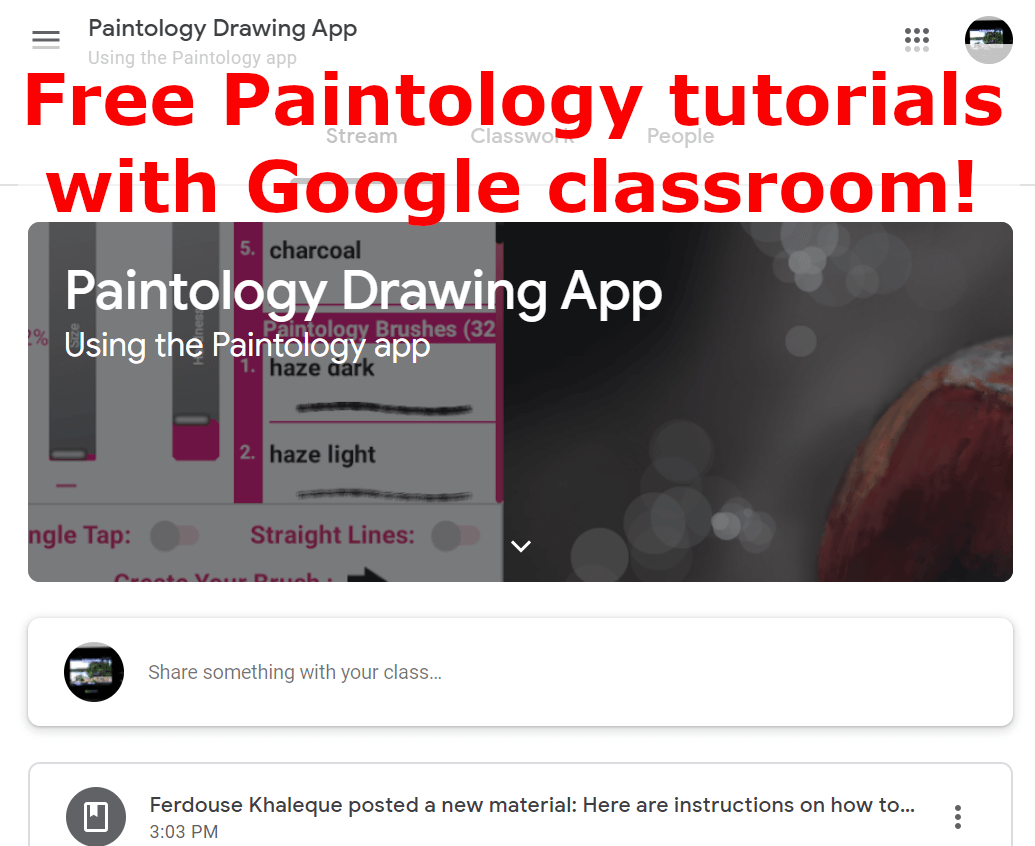
- First go to classroom.google.com where you will be asked to sign in to your gmail account, example you@gmail.com
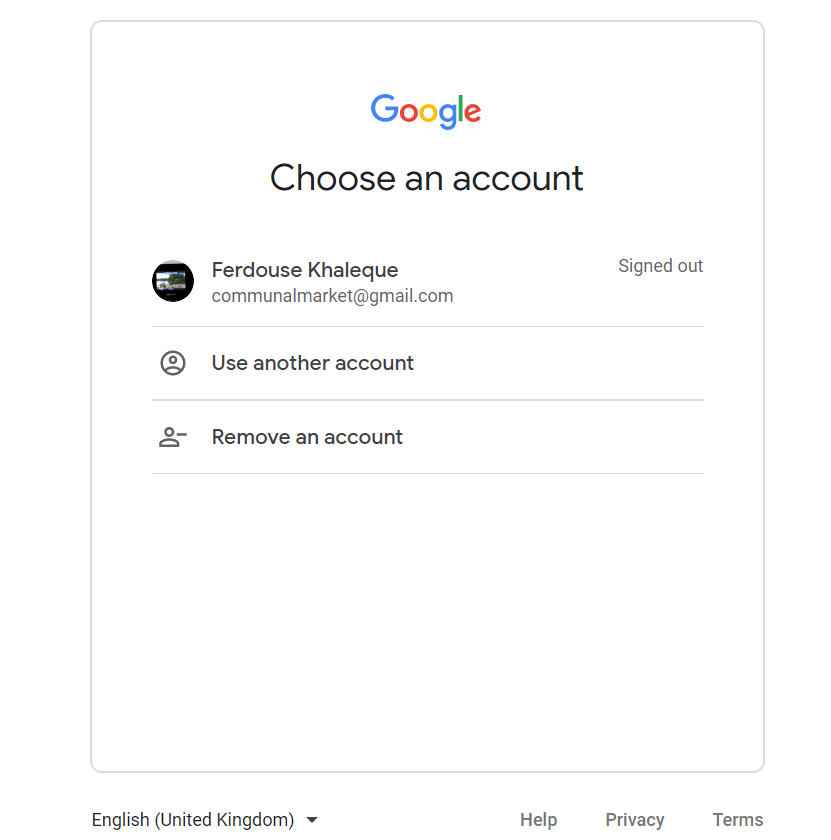 2. If you are not logged in, please login with your google account. If you are already logged in, you will be presented with this screen
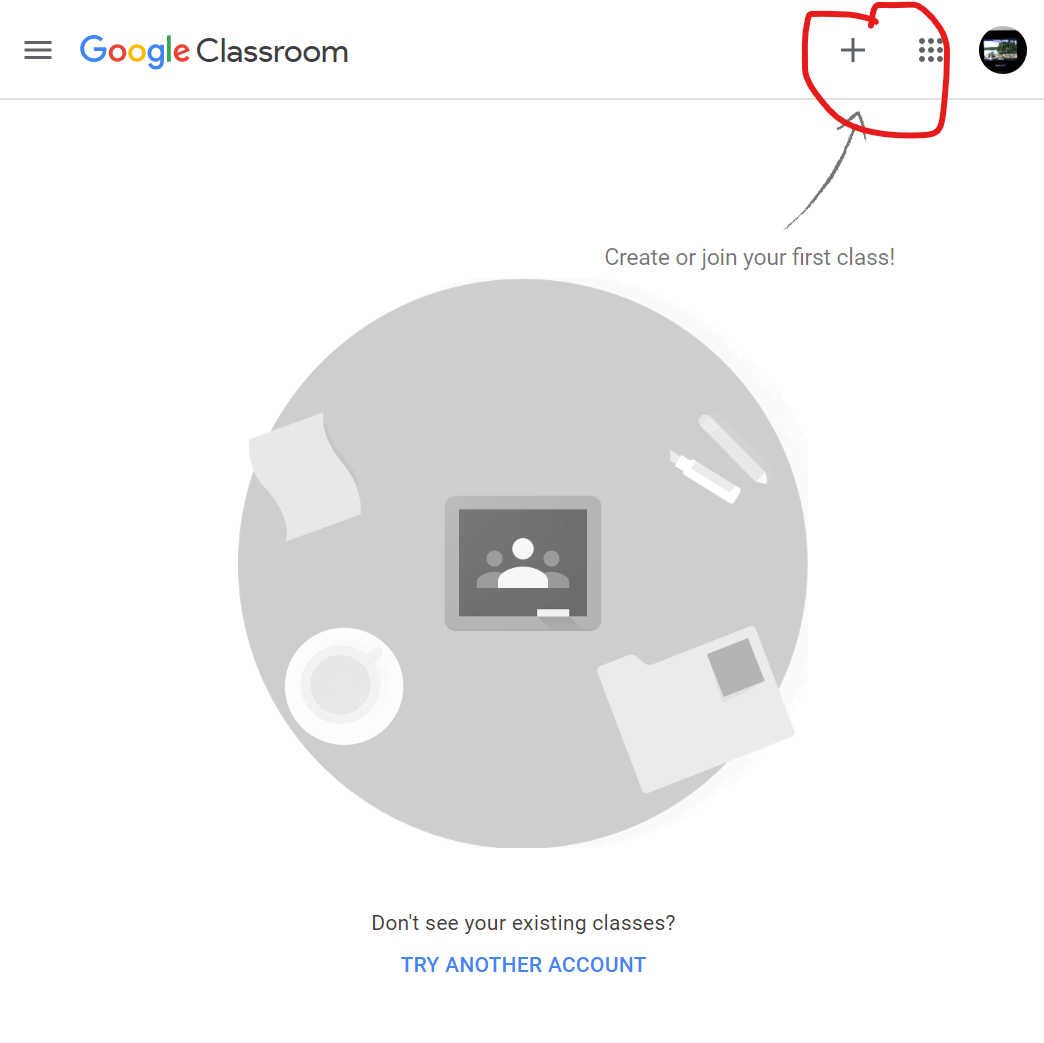 3. Click on the + symbol on the top right and add the class code riugheq to join.
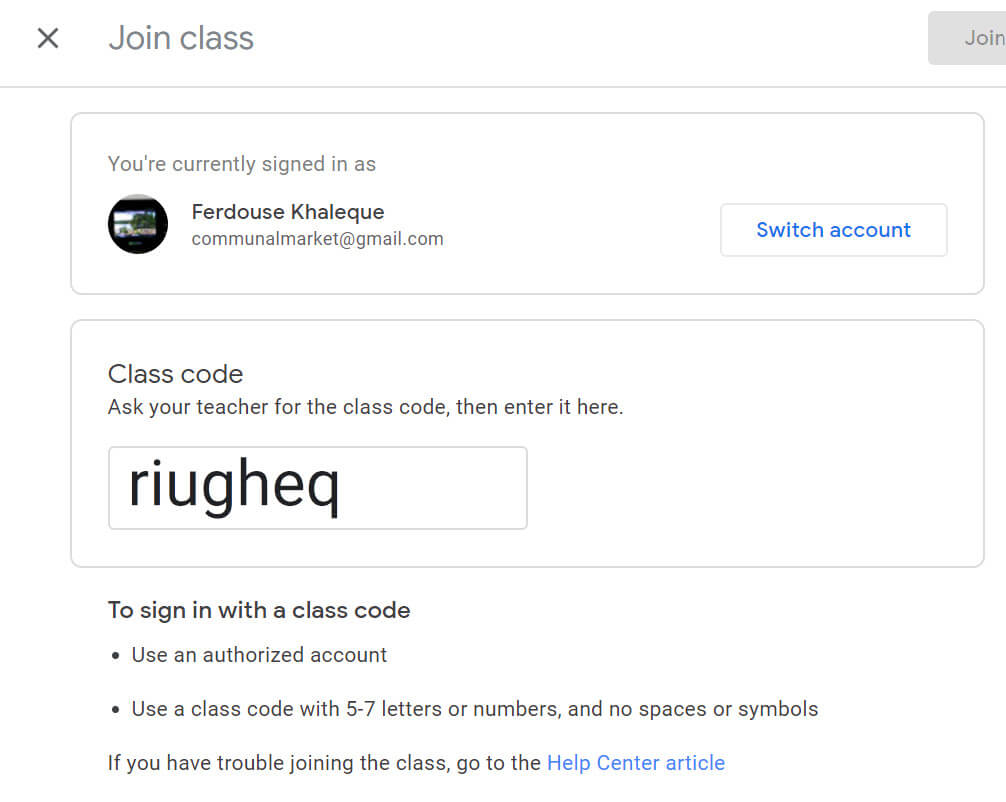 4. You should next see a class already setup by the instructor and you can follow the assignments and turn in your drawing
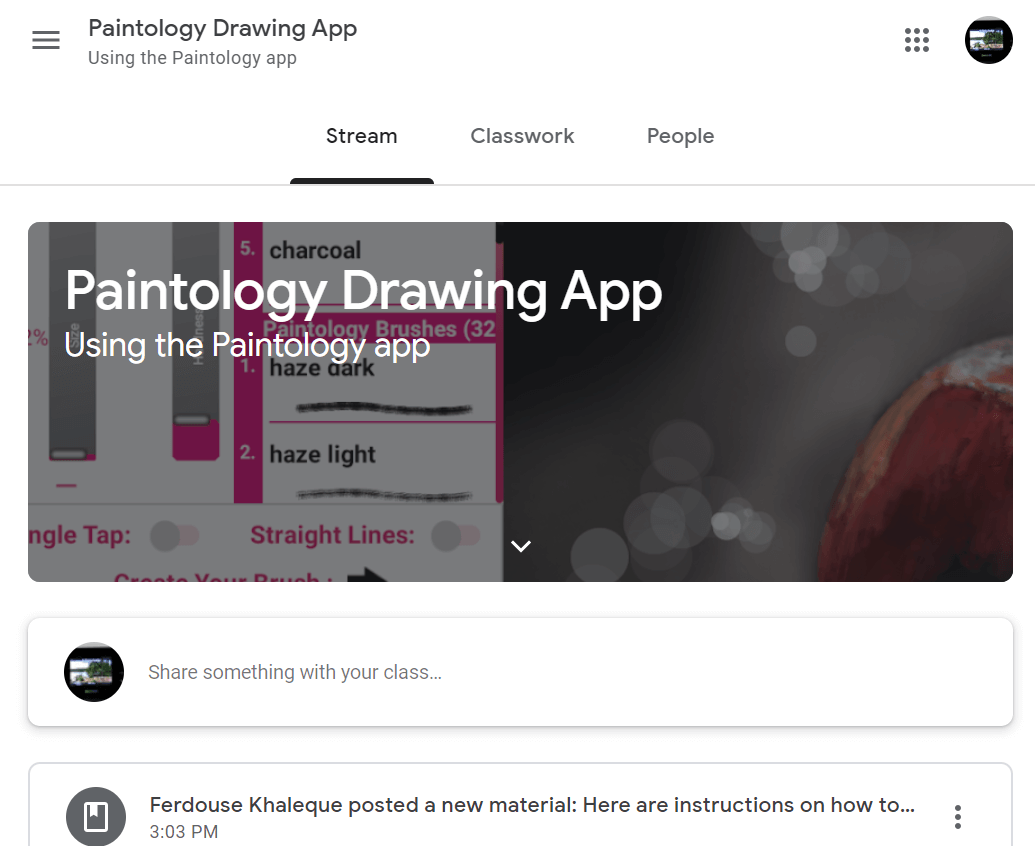 5. Follow the assignments and start drawing! Submit your work for review by instructor, instructions below.
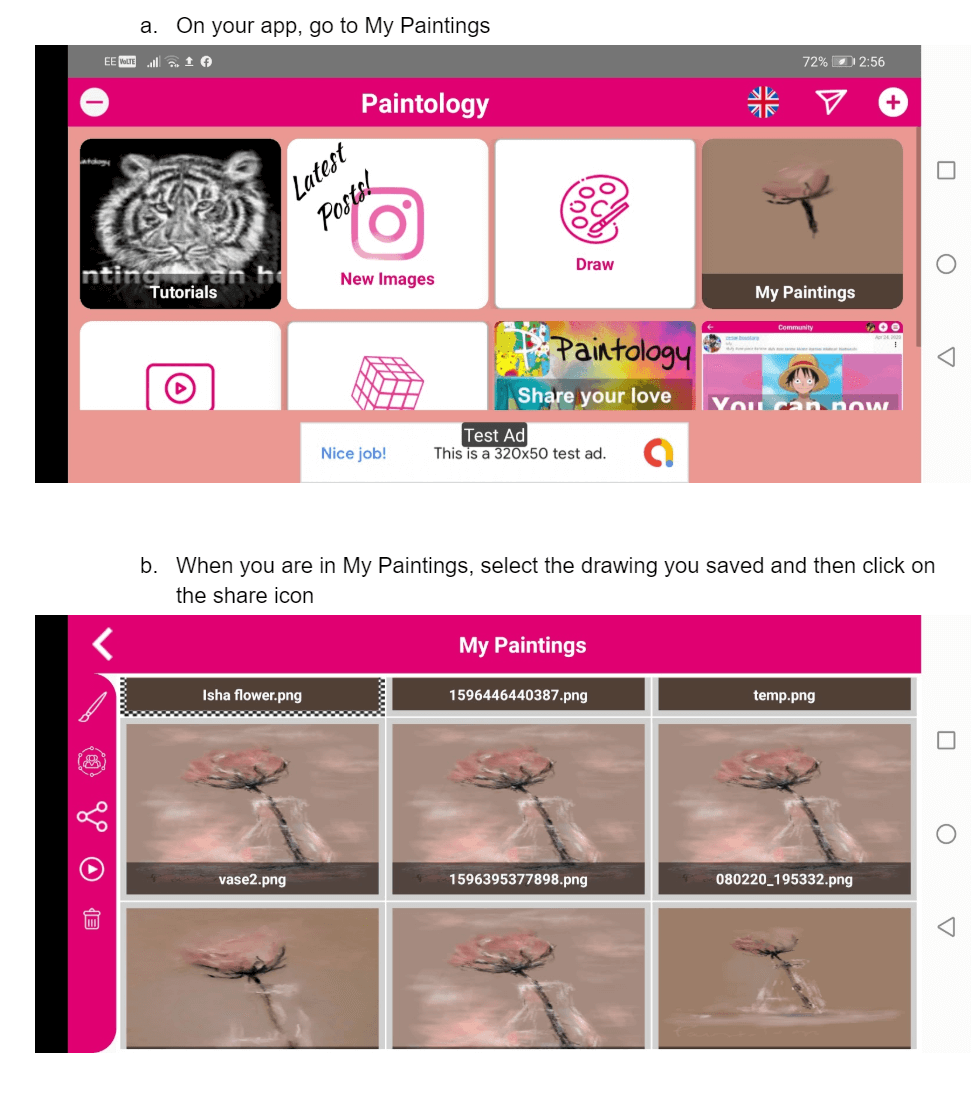
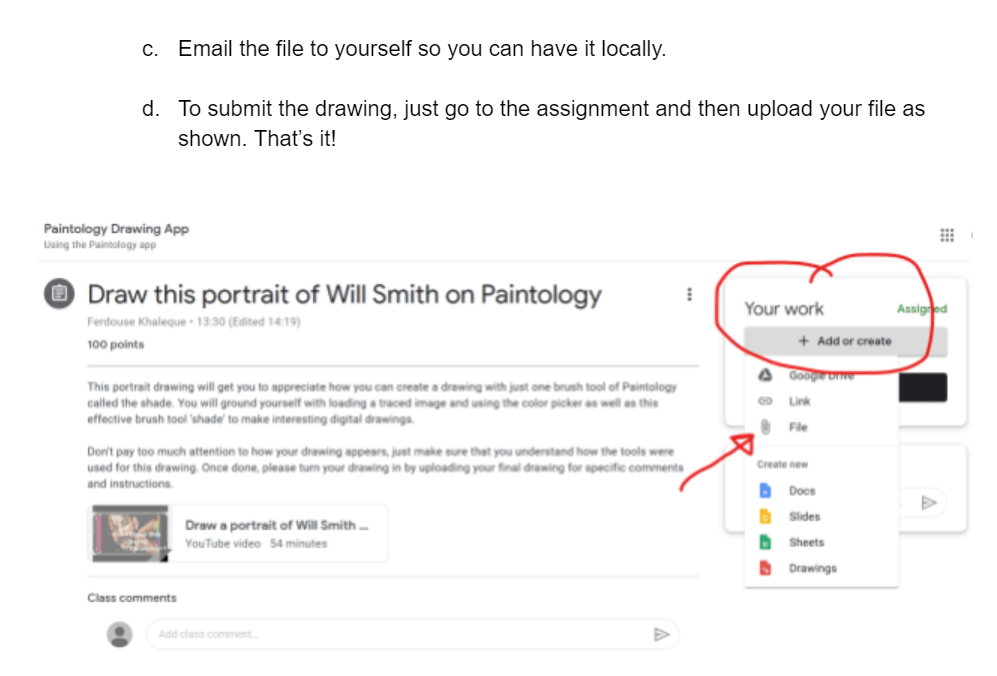 Good luck, Happy Drawing & Painting!